Skip to content
Siteleads Docs

Contact Widget Configuration

  • Understanding Contact Widgets
  • Creating a Contact Widget
  • Phone channel configuration
  • WhatsApp channel configuration
  • Email channel configuration
  • Messenger Channel Configuration
  • Instagram DM Channel Configuration
  • Instagram Page Channel Configuration
  • WeChat Channel Configuration
  • Snapchat Channel Configuration
  • Discord Channel Configuration
  • Telegram Channel Configuration
  • SMS Channel Configuration
  • TikTok Channel Configuration
  • X (Twitter) Channel Configuration
  • Google Maps Channel Configuration

Creating Channels & Widgets (AI Agent Setup)

  • Configuring an AI Agent
  • Understanding Channels
  • Creating a Channel Widget
  • Creating AI Agent Account
  • Targeting & Display Triggers
  • Visual Customization

AI Assitant Configuration

  • Creating AI Assistant
  • General Settings
  • Training Sources
  • Conversation Settings
  • Predefined Questions

Visual Customization

  • Mobile View Options 
  • Greeting settings
  • Attention effects
  • Desktop View Settings

Targetting and Display Rules

  • Widget Display Triggers
  • Page Targeting
  • Date Scheduling
  • Day Scheduling
  • Traffic Sources Targeting
  • Geographic Targeting

Leads, Messages and Analytics

  • The Leads Section
  • The Messages Section
  • The Analytics Section

Upgrade and license activation

  • The “My Account” section
  • How to activate the SiteLeads license
  • Free vs Pro Features

Miscellaneuous

  • System requirements
  • How to Install and Activate the Plugin
View Categories
  • Home
  • AI Assitant Configuration
  • General Settings

General Settings

1 min read

The General Settings tab defines the assistant’s identity, tone, and foundational instructions.
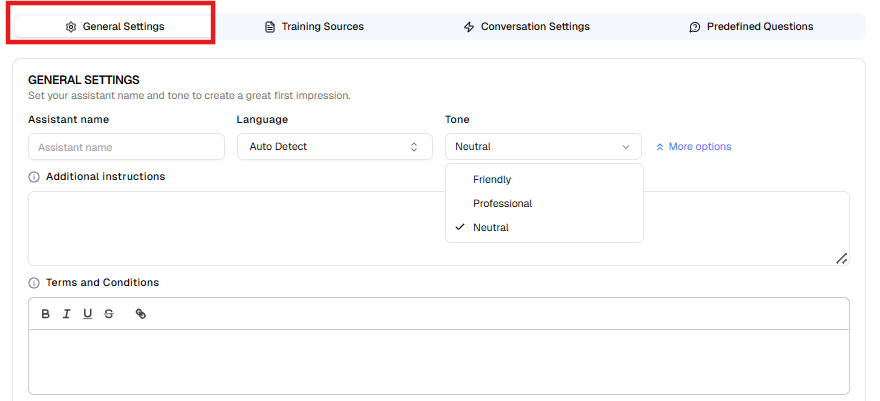

1.1 Assistant Name #

Specify the name of your AI Assistant.
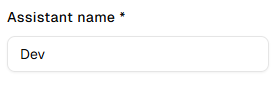
The assistant name will be used internally to identify the AI assistant across leads, the dashboard, and other assistant-related sections.

Examples:

  • Support Assistant
  • Help Desk Bot

1.2 Language #

Select the primary language used by the AI Assistant.
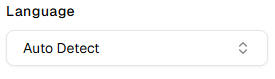
Available options:

  • Auto Detect (Recommended for multilingual websites)
  • Manual language selection

If your audience speaks a single language, selecting it manually ensures more consistent responses.


1.3 Tone #
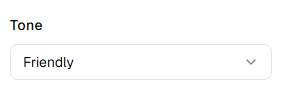
Define the communication style of the AI Assistant.

Common tone options include:

  • Friendly
  • Professional
  • Netural

The selected tone influences greeting style, phrasing, and overall conversational personality.


1.4 Additional Instructions #

Use this field to provide custom behavioral guidance to the AI Assistant.

You may define:

  • Brand voice rules
  • Escalation instructions
  • Restricted topics
  • Sales priorities
  • Compliance limitations

Example instructions:

  • “Encourage users to book a demo when discussing pricing.”
  • “Do not provide medical or legal advice.”
  • “Escalate billing issues to human support.”

These instructions refine how the AI generates responses.


1.5 Terms and Conditions #

Configure the disclaimer text displayed in the chat interface.

This section typically includes:

  • Terms of use acknowledgment
  • Privacy policy notice
  • Legal disclaimers

Example:

“By chatting, you agree to our AI Terms of Use.”

You may format the text and insert hyperlinks where necessary.

Updated on March 16, 2026
Creating AI AssistantTraining Sources
Table of Contents
  • 1.1 Assistant Name
  • 1.2 Language
  • 1.3 Tone
  • 1.4 Additional Instructions
  • 1.5 Terms and Conditions

All rights reserved