Skip to content
Siteleads Docs

Contact Widget Configuration

  • Understanding Contact Widgets
  • Creating a Contact Widget
  • Phone channel configuration
  • WhatsApp channel configuration
  • Email channel configuration
  • Messenger Channel Configuration
  • Instagram DM Channel Configuration
  • Instagram Page Channel Configuration
  • WeChat Channel Configuration
  • Snapchat Channel Configuration
  • Discord Channel Configuration
  • Telegram Channel Configuration
  • SMS Channel Configuration
  • TikTok Channel Configuration
  • X (Twitter) Channel Configuration
  • Google Maps Channel Configuration

Creating Channels & Widgets (AI Agent Setup)

  • Configuring an AI Agent
  • Understanding Channels
  • Creating a Channel Widget
  • Creating AI Agent Account
  • Targeting & Display Triggers
  • Visual Customization

AI Assitant Configuration

  • Creating AI Assistant
  • General Settings
  • Training Sources
  • Conversation Settings
  • Predefined Questions

Visual Customization

  • Mobile View Options 
  • Greeting settings
  • Attention effects
  • Desktop View Settings

Targetting and Display Rules

  • Widget Display Triggers
  • Page Targeting
  • Date Scheduling
  • Day Scheduling
  • Traffic Sources Targeting
  • Geographic Targeting

Leads, Messages and Analytics

  • The Leads Section
  • The Messages Section
  • The Analytics Section

Upgrade and license activation

  • The “My Account” section
  • How to activate the SiteLeads license
  • Free vs Pro Features

Miscellaneuous

  • System requirements
  • How to Install and Activate the Plugin
View Categories
  • Home
  • Upgrade and license activation
  • How to activate the SiteLeads license

How to activate the SiteLeads license

1 min read

SiteLeads is a WordPress plugin that helps you capture and convert website visitors into leads using smart contact widgets and AI-powered assistants. To unlock the full features of the plugin, you’ll need to purchase a license and activate it on your site. This guide walks you through the complete process.


Steps to Purchase Your SiteLeads License #

  • Go to the SiteLeads pricing page at https://siteleads.ai/pricing/
  • Review the available plans. We recommend the Plus Plan — it’s the best value for most users, offering 5 AI Assistants, 1,000 AI messages per month, and up to 100 leads per month.
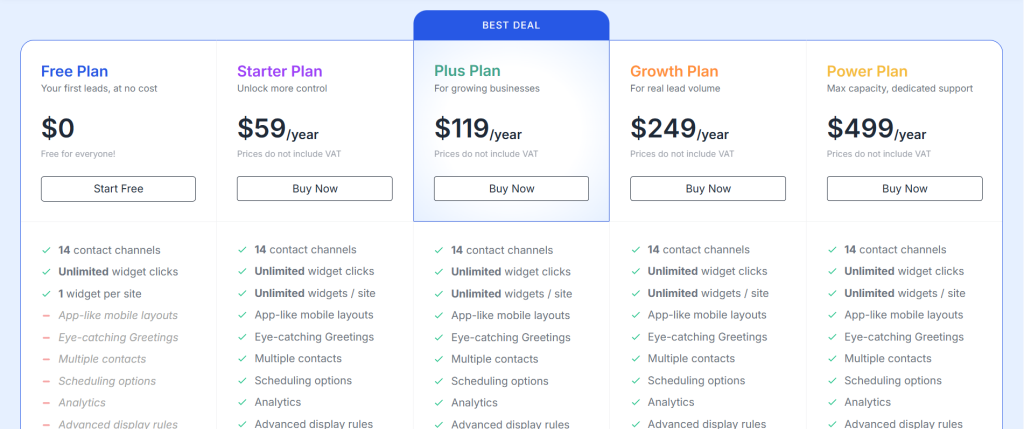
  • Click Buy Now on your preferred plan.

Complete Your Purchase #

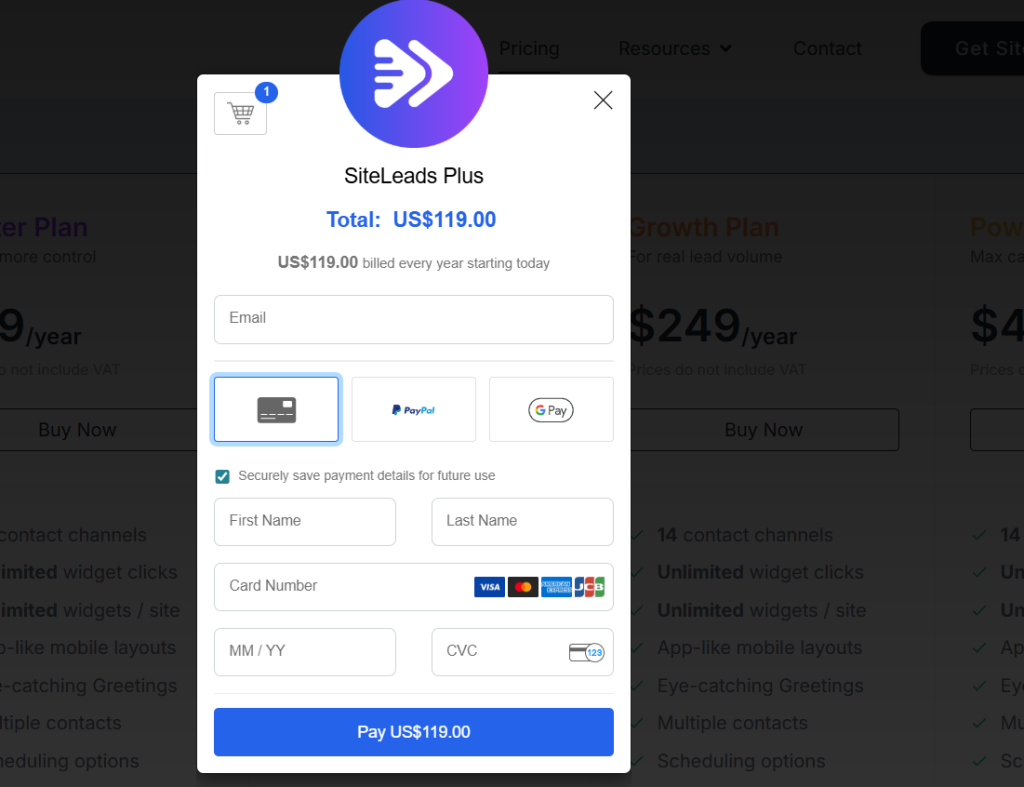
  • On the checkout page, enter a valid email address where your license key will be sent after payment.

⚠️ Make sure you enter the correct email address — your license key will be sent there.

  • Enter your card details.
  • Click Pay to complete the purchase.
  • You will receive a confirmation email containing your license key shortly after. (Please allow 2–3 minutes for the email to arrive. Check your spam folder if you don’t see it.)

The email will look exactly like this:


Activate Your License

  • Go to your WordPress Dashboard
  • Navigate to SiteLeads → License
  • Locate the license key in your confirmation email and copy it.
  • Paste the license key into the license field.
  • Click Activate License.
  • You’re All Set! 🎉 Once your license is activated, all the features included in your plan will be unlocked and ready to use on your site.

💬 Still need help? Reach out to us via the contact page and we’ll be happy to assist.

Updated on March 22, 2026
The “My Account” sectionFree vs Pro Features
Table of Contents
  • Steps to Purchase Your SiteLeads License
    • Complete Your Purchase

All rights reserved