You can install the SiteLeads plugin directly from your WordPress dashboard or by uploading the plugin ZIP file.
🔹 Method 1: Install from the WordPress Dashboard #
- Log in to your WordPress Admin Dashboard
- Go to Plugins → Add New
- Search for SiteLeads
- Click Install Now
- Once installation is complete, click Activate
After activation, the SiteLeads menu will appear in your WordPress dashboard.
🔹 Method 2: Install by Uploading the Plugin (ZIP File) #
- Log in to your WordPress Admin Dashboard
- Navigate to Plugins → Add New
- Click Upload Plugin
- Choose the SiteLeads .zip file from your computer
- Click Install Now
- After installation, click Activate Plugin
Initial Setup & Dashboard Overview #
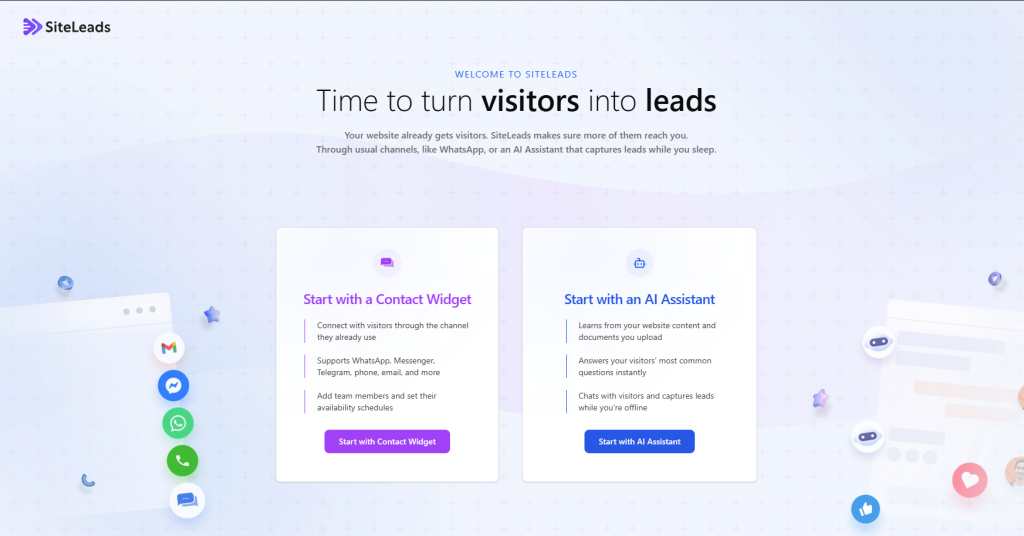
After activating the plugin, you’ll see the welcome screen that helps you choose how you’d like to get started. This initial setup step provides quick access to the two main SiteLeads features: Creating Channels and Creating AI Assistant.